From CAD model to complete tooling solution in seconds
CERATIZIT's ToolSelect now integrates with our quoting software: how machine shops plan the complete tooling solution during quoting, cut work preparation time, and deliver orders faster.
Spanflug MAKE now integrates directly with CERATIZIT’s ToolSelect
Machine shop reality
For most CNC quotes, tool selection is not even part of the calculation yet. It usually happens once the order has been placed. However, whether a part runs on standard tools or needs custom tooling, and whether the required tools are already available in the shop or need to be ordered, makes a significant difference in cost and lead time.
The challenge
There is a practical reason why the tooling question is often postponed when quoting manually. A complete tooling solution consists of several elements: cutting edge, holder, and adapter. The data needed to evaluate them, from prices and geometries to availability and cutting values, is scattered across catalogs, online shops, and the experience of the people on the shop floor. Pulling all of it together takes time, especially for quotes with many parts. With average order success rates of under 30%, that effort rarely pays off, and that is why many shops quote with estimates and assumptions instead.
The solution
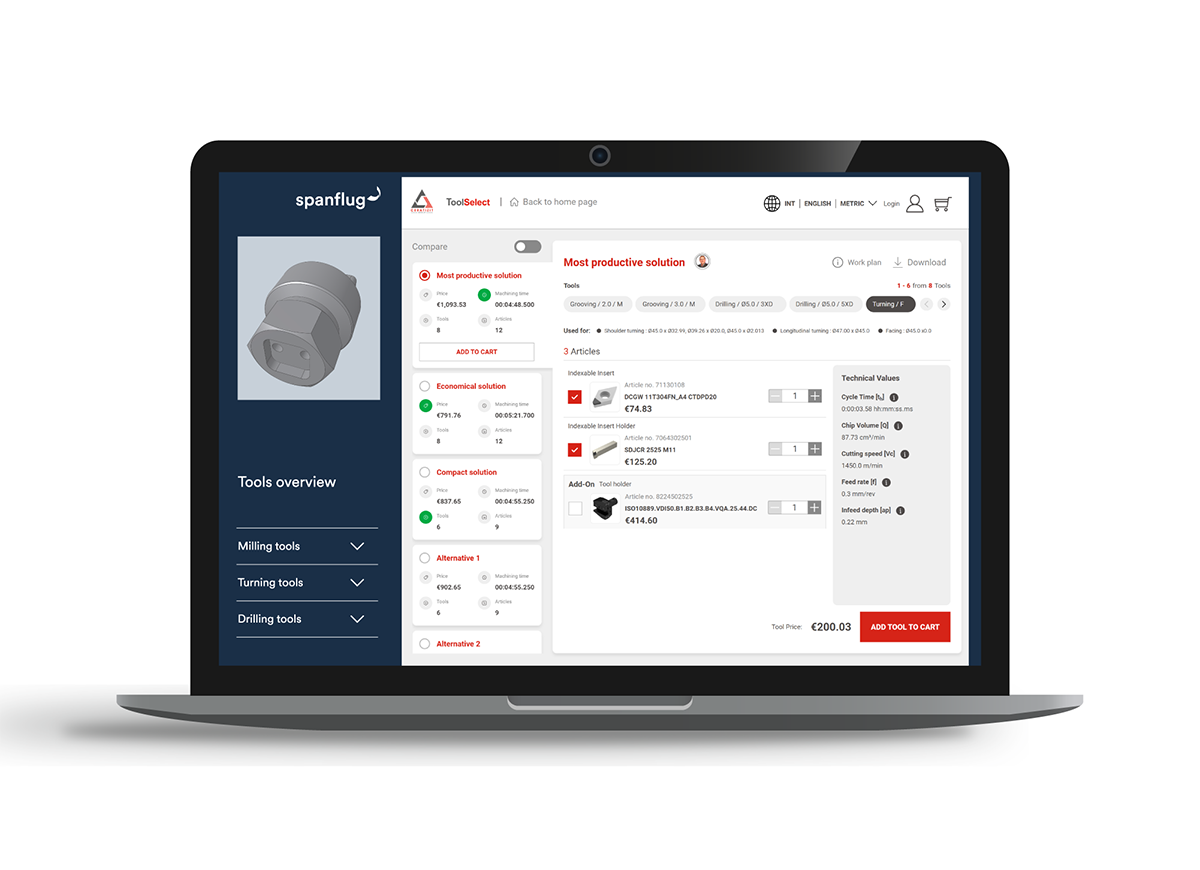
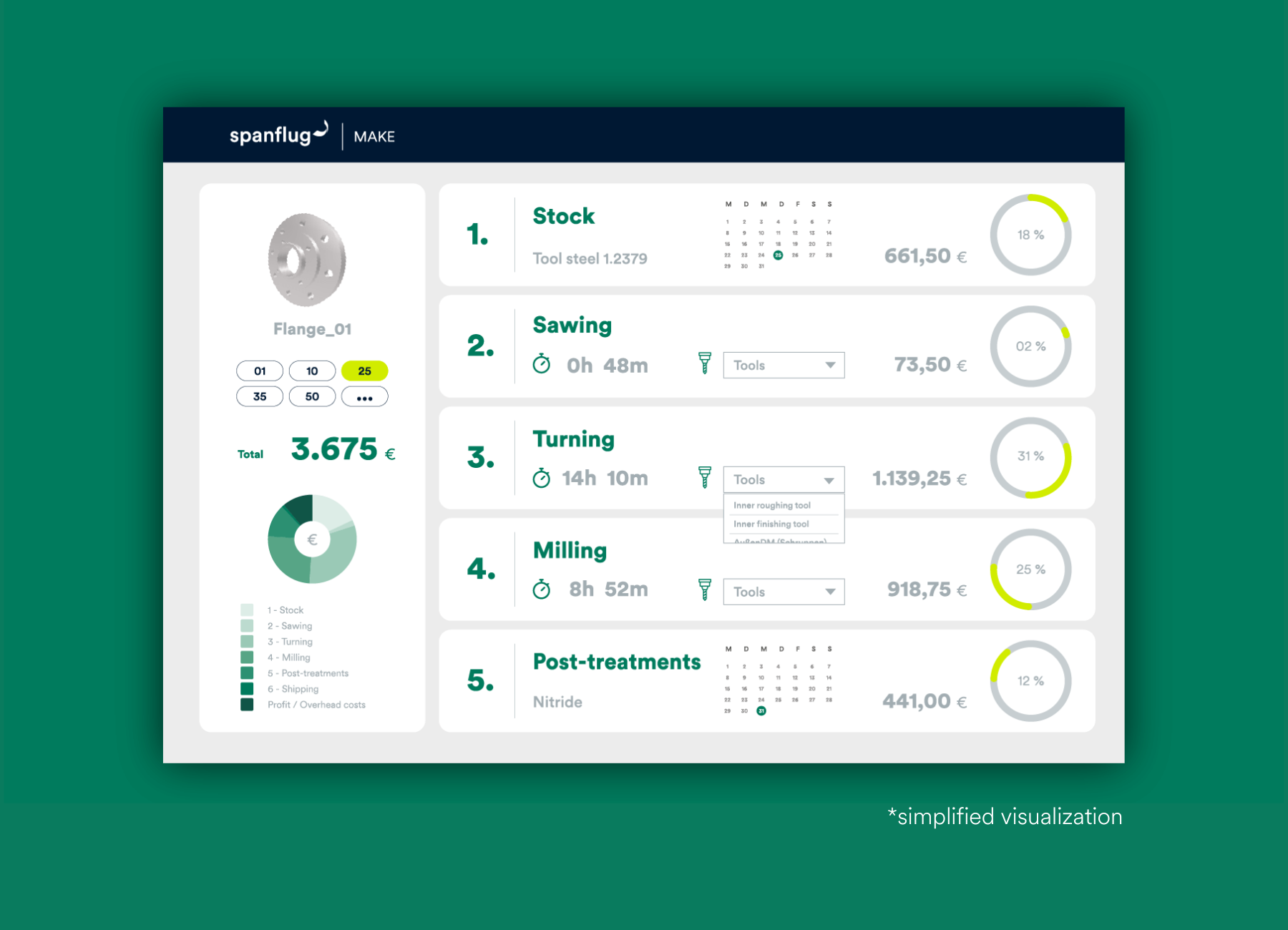
This is exactly what the new integration of Spanflug MAKE with CERATIZIT’s ToolSelect delivers: a complete, optimized tooling solution in seconds, from spindle to cutting edge. Based on the uploaded CAD model and drawing, Spanflug MAKE automatically generates realistic machining strategies and proposes a tailored list of tools. These tools are displayed in the operational plan, making the proposed strategy transparent and easy to validate.
With one click, users can open the full tooling solution in ToolSelect. There, they can optimize the proposed solution according to what matters most for the job: speed, cost, or the lowest number of tool changes. Individual tools or the complete solution can then be ordered directly from CERATIZIT, creating a seamless end-to-end digital workflow.
See it in action
Watch this video to see how Spanflug MAKE automatically determines a machining strategy from the CAD model, suggests the appropriate tools in the operational plan, and opens the complete tooling solution in ToolSelect with a single click. Try it with your parts: Sign up or log in to upload a CAD model to Spanflug MAKE, calculate the operational plan for the part, and see the proposed tooling solution for yourself.
What this means for machine shops
This shifts a decision that traditionally happens after the order into the quoting phase, where it can shape the economic outcome of the order. For machine shops working under tight margins and short lead times, that not only makes work preparation more efficient. It also influences the profitability of every job they win.
More accurate quotes
Realistic tool costs and lead times go into every calculation, so the price reflects what the job will cost.
Faster work preparation
What used to take hours of manual research now happens automatically while quoting. When the customer places the order, the groundwork is already done, missing tools can be ordered instantly, and the job can move to the shop floor faster.
More transparency
The tooling solution is accessible directly within the operational plan, which makes machining strategies and calculation results easier to understand, review, and validate.

Fewer costly mistakes
Automated tool proposals reduce the risk of errors in tool selection. Shops receive automatically generated machining strategies and tool proposals, which make it easier to take on new types of work.

Seamless procurement
From tool recommendation to online order, the entire process runs in one connected workflow.